Everything You Can Do With GTC Vehicle Debadge Studio
One focused toolkit for instantly Debadging Mesh & Textures and for converting vehicles from SP To FiveM.
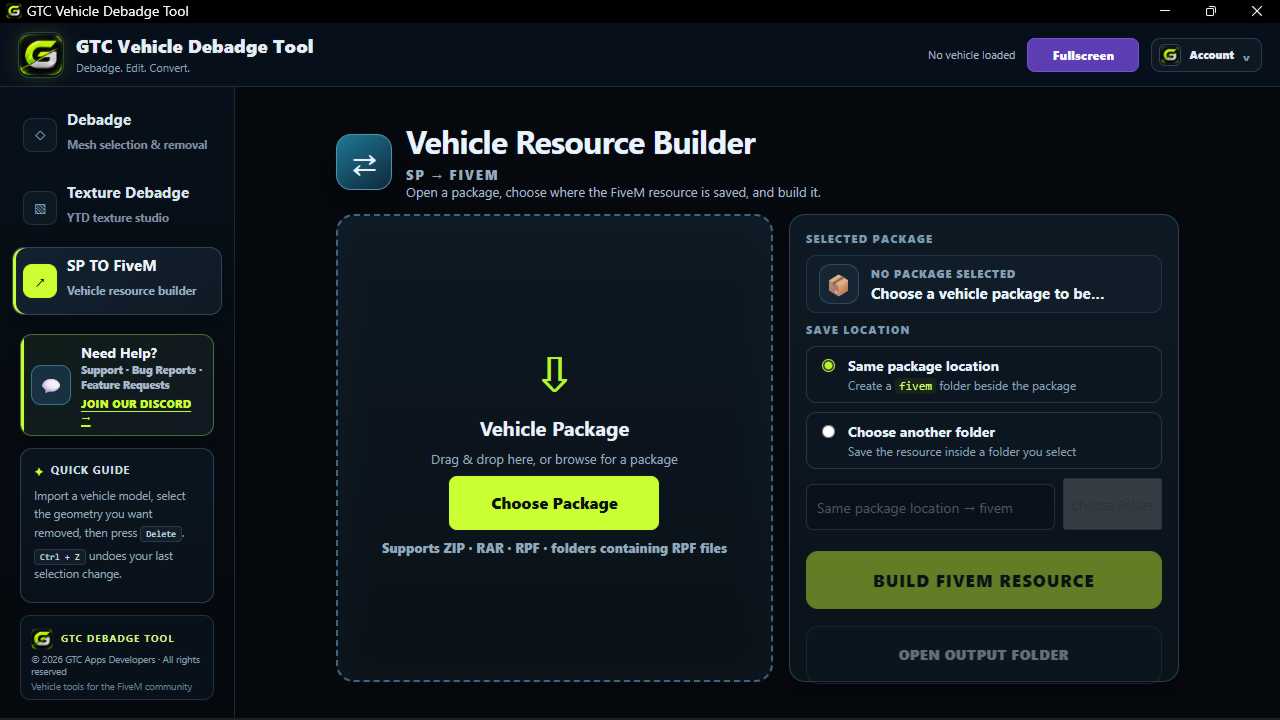
SP to FiveM Vehicle Converter
Turn supported single-player vehicle packages into a ready-to-use FiveM resource through a simple guided workflow.
- Vehicle package selection
- Flexible output location
- Automatic FiveM resource building
- ZIP, RAR, RPF & folder support
- Quick access to the output folder
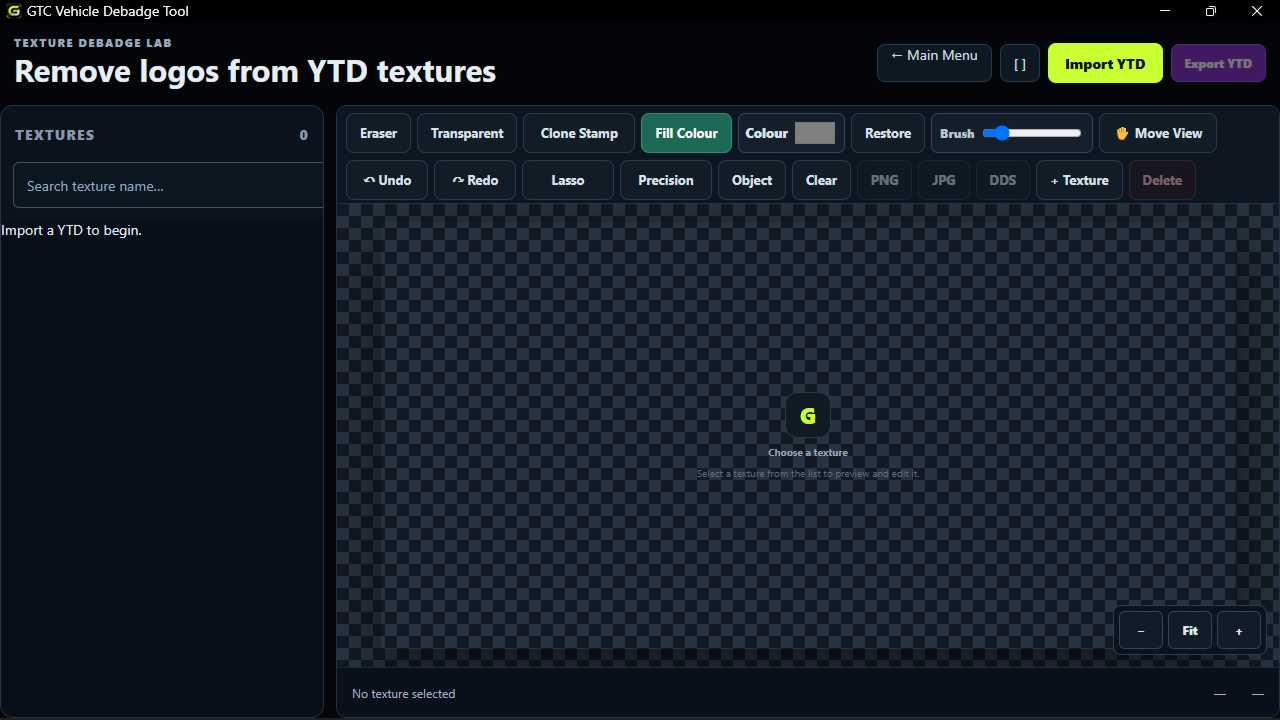
Texture Debadge Made Simple
Remove unwanted logos, text and branding directly from supported vehicle textures with the built-in YTD editor.
- Eraser and transparent editing
- Clone Stamp for clean results
- Fill Colour, Brush & Lasso tools
- Precision and Object workflows
- PNG, JPG & DDS export support
- Undo and redo editing workflow
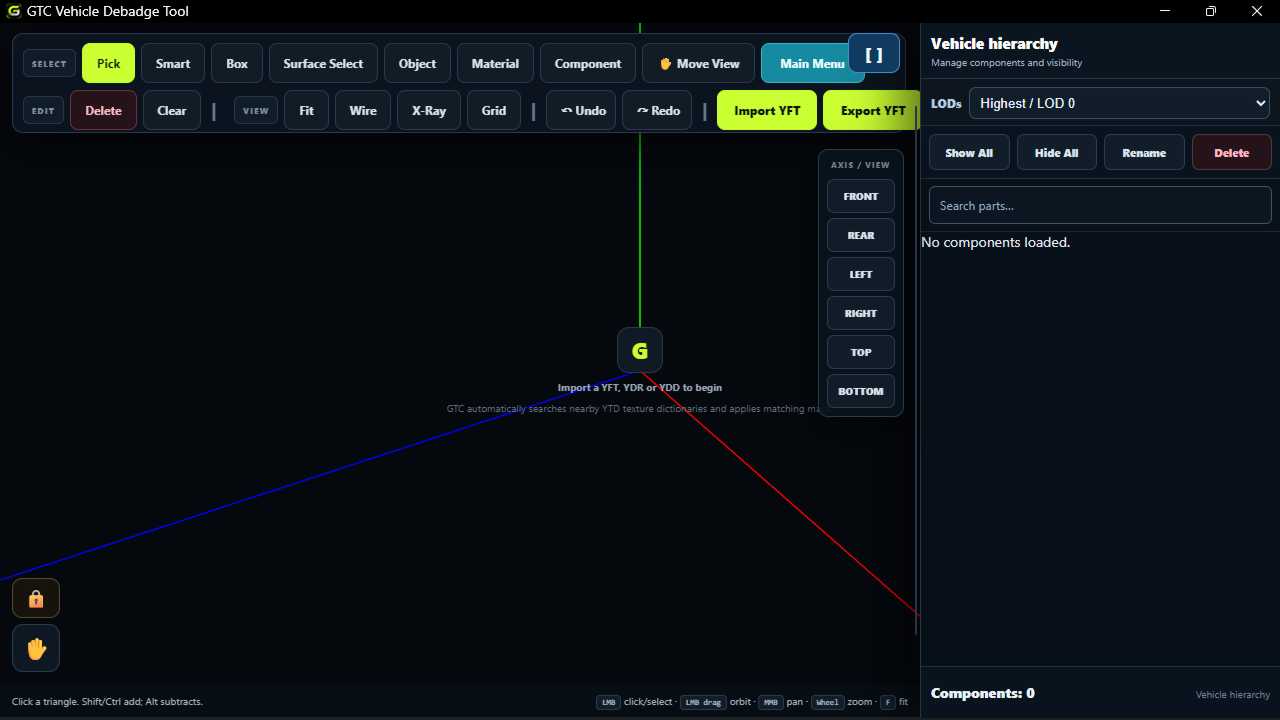
A 3D Viewer Built for Easy Control
Move around your vehicle, change views and inspect your model without needing complicated 3D modelling software.
- Easy 3D vehicle viewing
- Move View with hand navigation
- Front, rear, left, right, top & bottom views
- Zoom, wireframe and X-Ray modes
- Grid controls for easier inspection
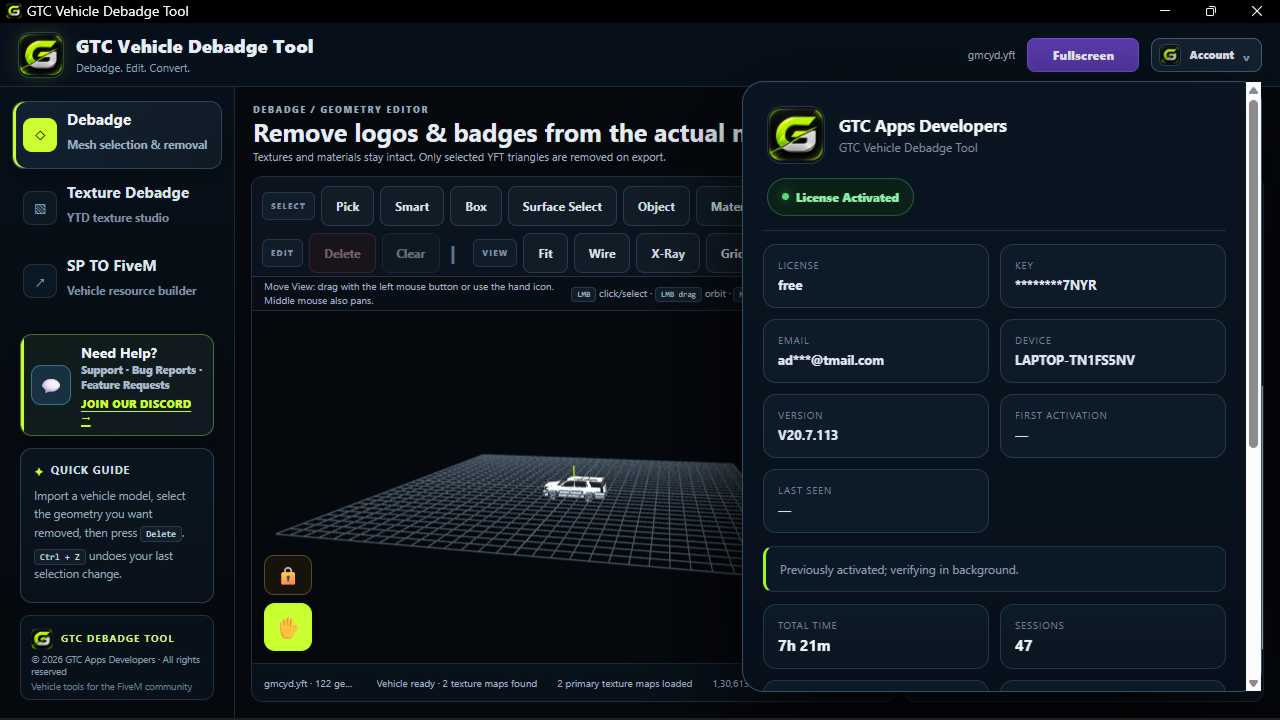
Mesh Debadge Without the Headache
Select unwanted vehicle geometry and remove logos, badges and supported details directly from the model.
- Pick selection workflow
- Smart selection
- Box selection
- Surface selection
- Object, Material & Component selection
- Fast delete and cleanup workflow
- Undo and redo support
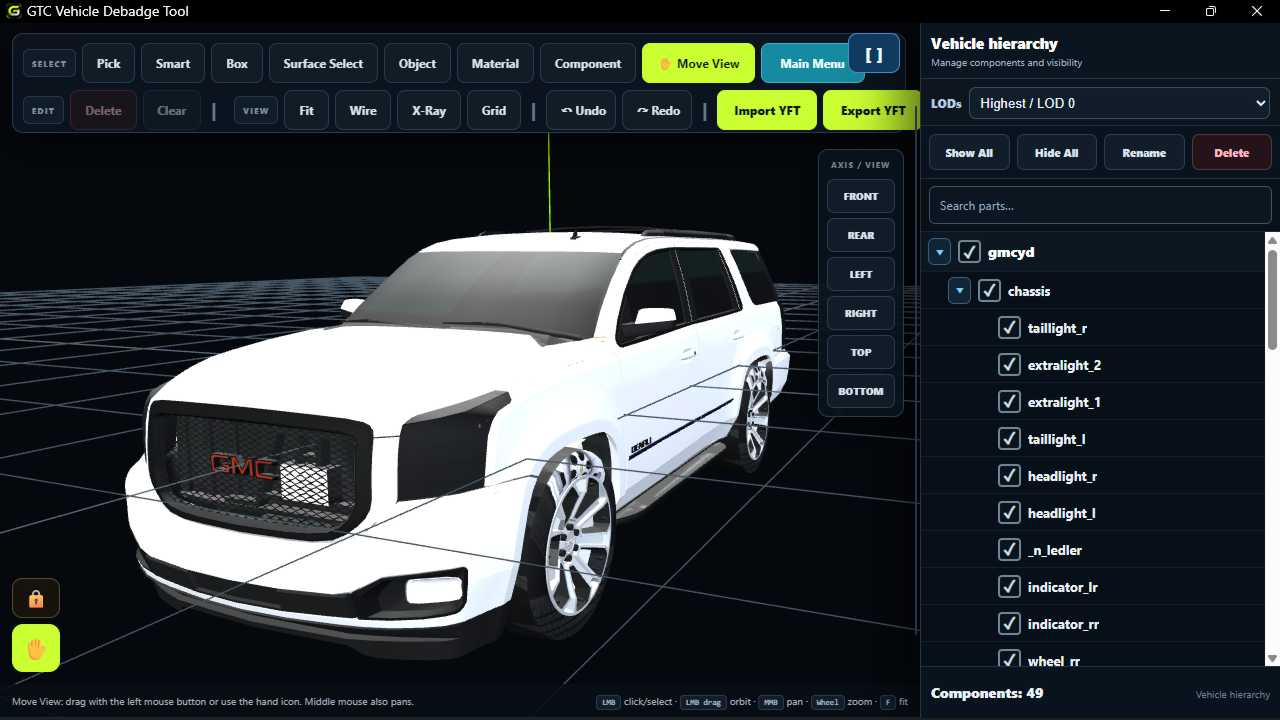
Components & LODs Under Your Control
Understand your vehicle structure and manage supported components and levels of detail from one focused interface.
- Vehicle hierarchy view
- Search vehicle components
- Show and hide components
- Rename supported parts
- Delete selected components
- LOD selection from Highest to Very Low
- Inspect different levels of detail
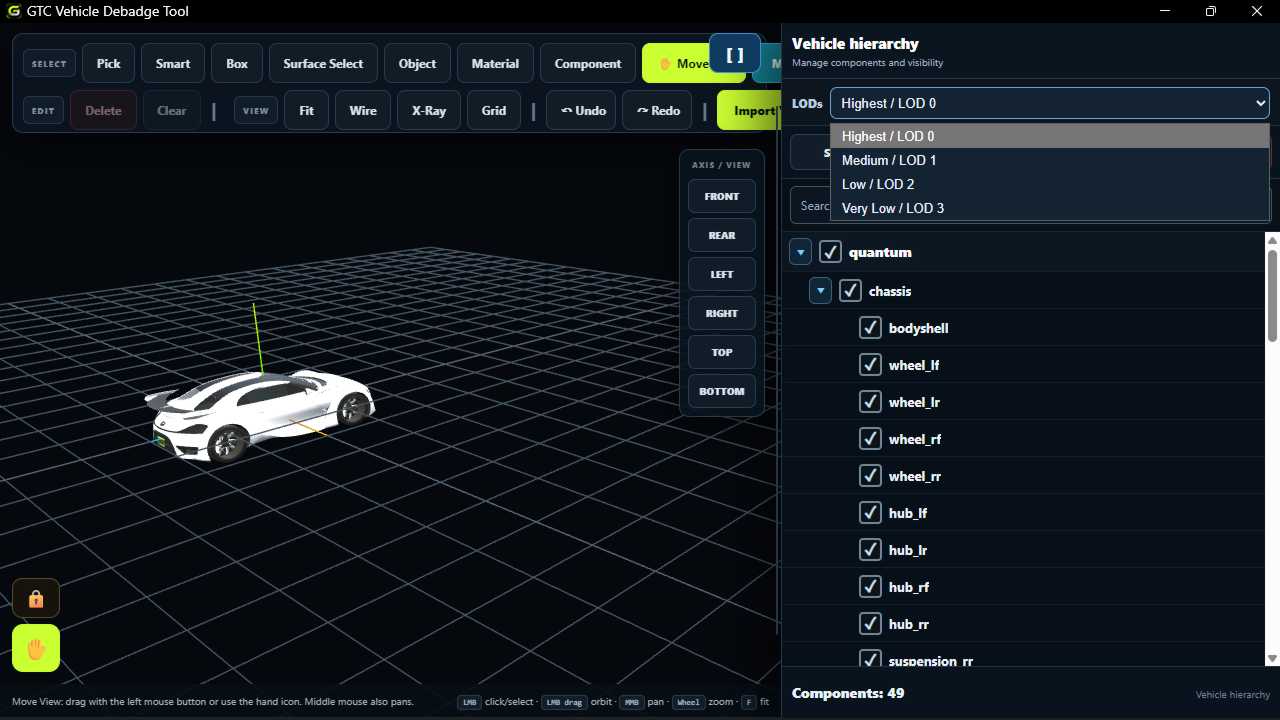
Everything Where You Need It
A focused vehicle editing workspace that keeps your tools, vehicle hierarchy, viewing controls and workflow actions together.
- Organized vehicle editing workspace
- Easy access to major tools
- Fullscreen viewing
- Account and license information
- Quick Guide and built-in support
- Clear vehicle status information
From vehicle to FiveM resource.
Import your vehicle, edit what you need, inspect the result and continue into your FiveM resource workflow.
One Tool. Your Entire Workflow.
SP → FiveM
Prepare supported vehicle packages for a streamlined FiveM resource-building workflow.
→ 02Texture Debadge
Edit YTD textures and remove unwanted logos, text and branding.
→ 03Mesh Debadge
Select and remove unwanted supported vehicle geometry directly inside the 3D workspace.
→ 043D Vehicle Viewer
Move around your model with simple navigation, axis views, zoom and inspection tools.
→ 05Components & LODs
Search, show, hide, rename and manage supported vehicle components and LOD levels.
→ 06Focused Workspace
Keep your editing tools, vehicle information and workflow controls together.
→Stop switching between tools. Build your workflow in one place.
Debadge. Edit. Inspect. Convert.